Fan and Joystick
|
I was really struggling with this assignment, I broke both my transistors and the library I chose didn't work out as well as I thought it would for this assignment. That being said, I learned a lot and I feel much more equipped going forward in this class. I also ordered more resistors.
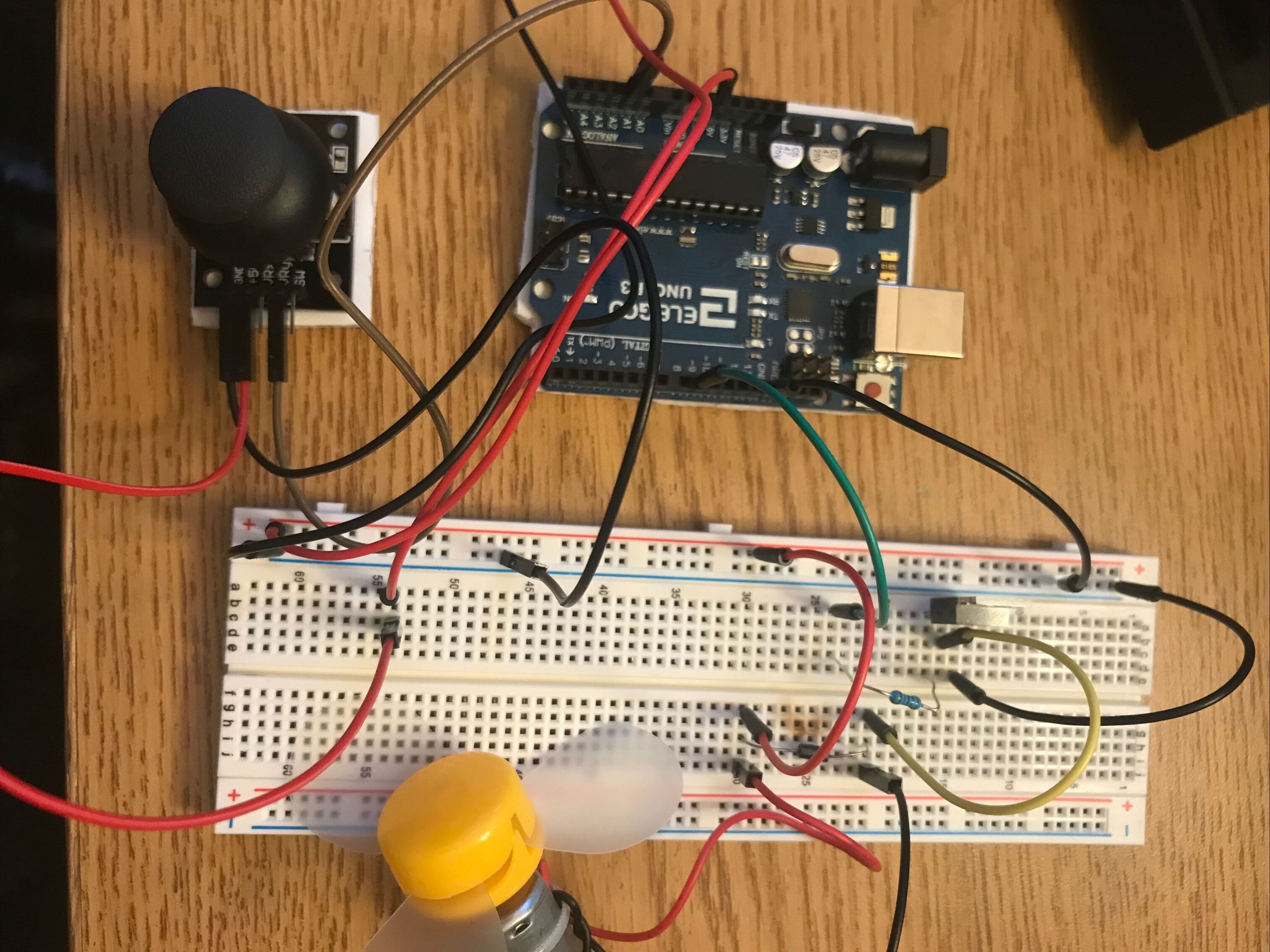
Unfortunately, because of my struggles with this assignment, I do not have a gif to show, but to the right is an image of my circut. What I wanted was for the fan to go faster when I pushed the joystick forward, and then slow down (and eventually stop) as I pulled the joystick backwards. Below is my schematic for assignment 5! The schematic shows how my circuit board should be connected. |
|

|
This is my math to choose the size of resistor I should use between the drain of the transistor and the arduino uno. Here I assumed the max current to be 30mA and the volts going through the transistor to be 60.

|
This is my code
// more info on Joystick library at https://www.arduino.cc/reference/en/libraries/joystick/
#include <Joystick.h> // import library
Joystick joystick(A0, A1, 13); // library assigning A0 to x-axis, A1 to y-axis, and pin 13 to the joystick pushbutton
void setup() {
Serial.begin(9600); // initialize serial monitor
pinMode(9, OUTPUT); // initialize pin 9 as output
}
void loop() {
joystick.printY('', 0, 100); // print the Y value of joystick to serial monitor
Serial.println(); // go to next line
analogWrite(9, analogRead(A1)*0.95); // speed up or slow down the fan the certain amount
}
// more info on Joystick library at https://www.arduino.cc/reference/en/libraries/joystick/
#include <Joystick.h> // import library
Joystick joystick(A0, A1, 13); // library assigning A0 to x-axis, A1 to y-axis, and pin 13 to the joystick pushbutton
void setup() {
Serial.begin(9600); // initialize serial monitor
pinMode(9, OUTPUT); // initialize pin 9 as output
}
void loop() {
joystick.printY('', 0, 100); // print the Y value of joystick to serial monitor
Serial.println(); // go to next line
analogWrite(9, analogRead(A1)*0.95); // speed up or slow down the fan the certain amount
}
